The Continuous Compliance Engine supports connecting to blobs (files and mainframe datasets) stored in Azure Storage with the Azure Blob Storage cloud connector.
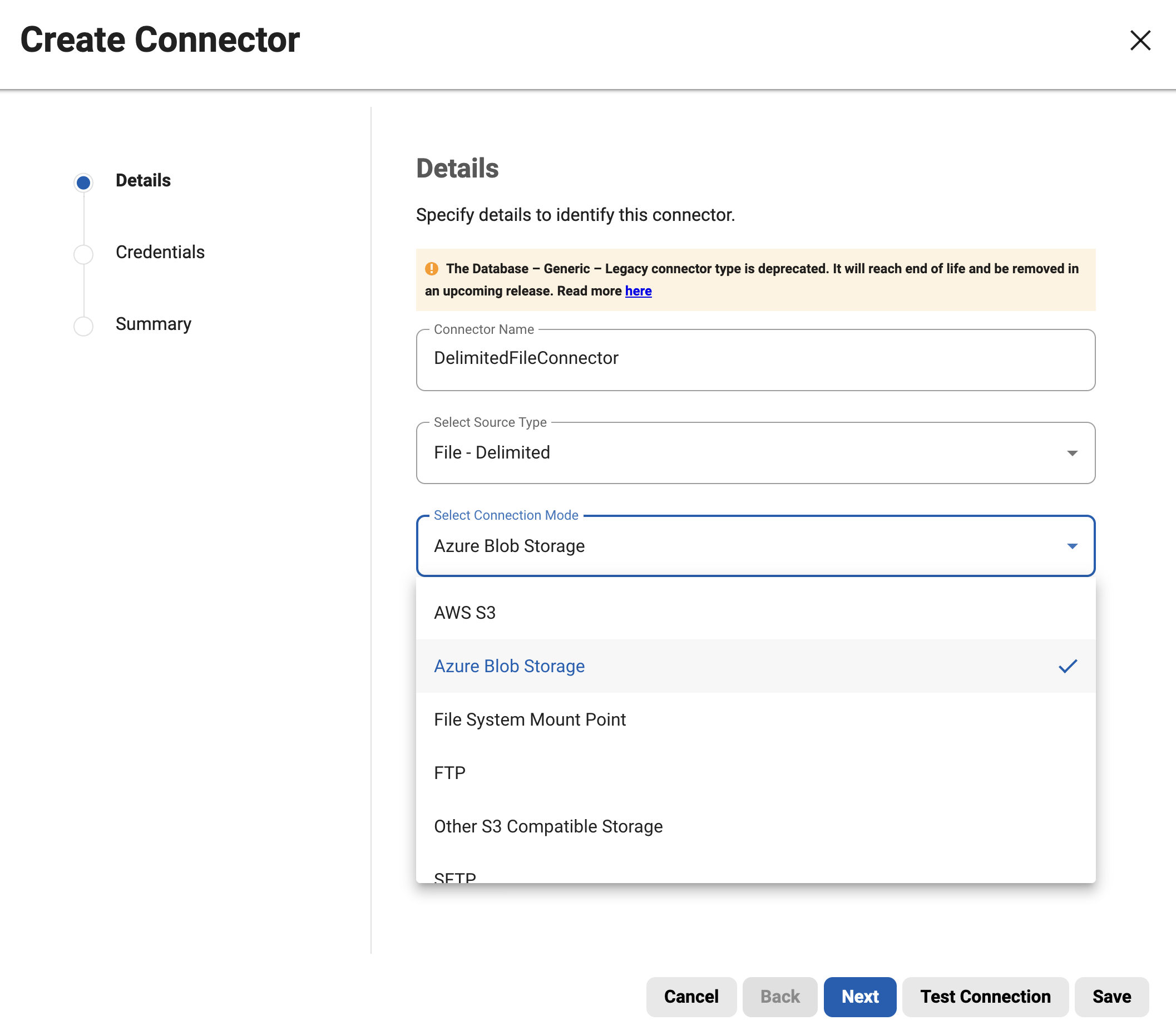
Configuring an Azure Blob Storage Connector
-
connectorName: Specifies the name of the connector.
-
environmentId: Indicates the identifier of the environment where the connector will be configured.
-
fileType: Denotes the type of files to be managed by the connector.
-
connectionInfo: This section contains details necessary for establishing a connection to the Azure Blob Storage service.
-
connectionMode: Specifies the mode of connection, which is set to "AZURE_BLOB_STORAGE" indicating that it connects to an Azure Blob Storage.
-
prefix: Indicates the prefix to filter blobs within the Azure Blob Storage container.
-
delimiter: Indicates the delimiter to filter blobs within the Azure Blob Storage container.
-
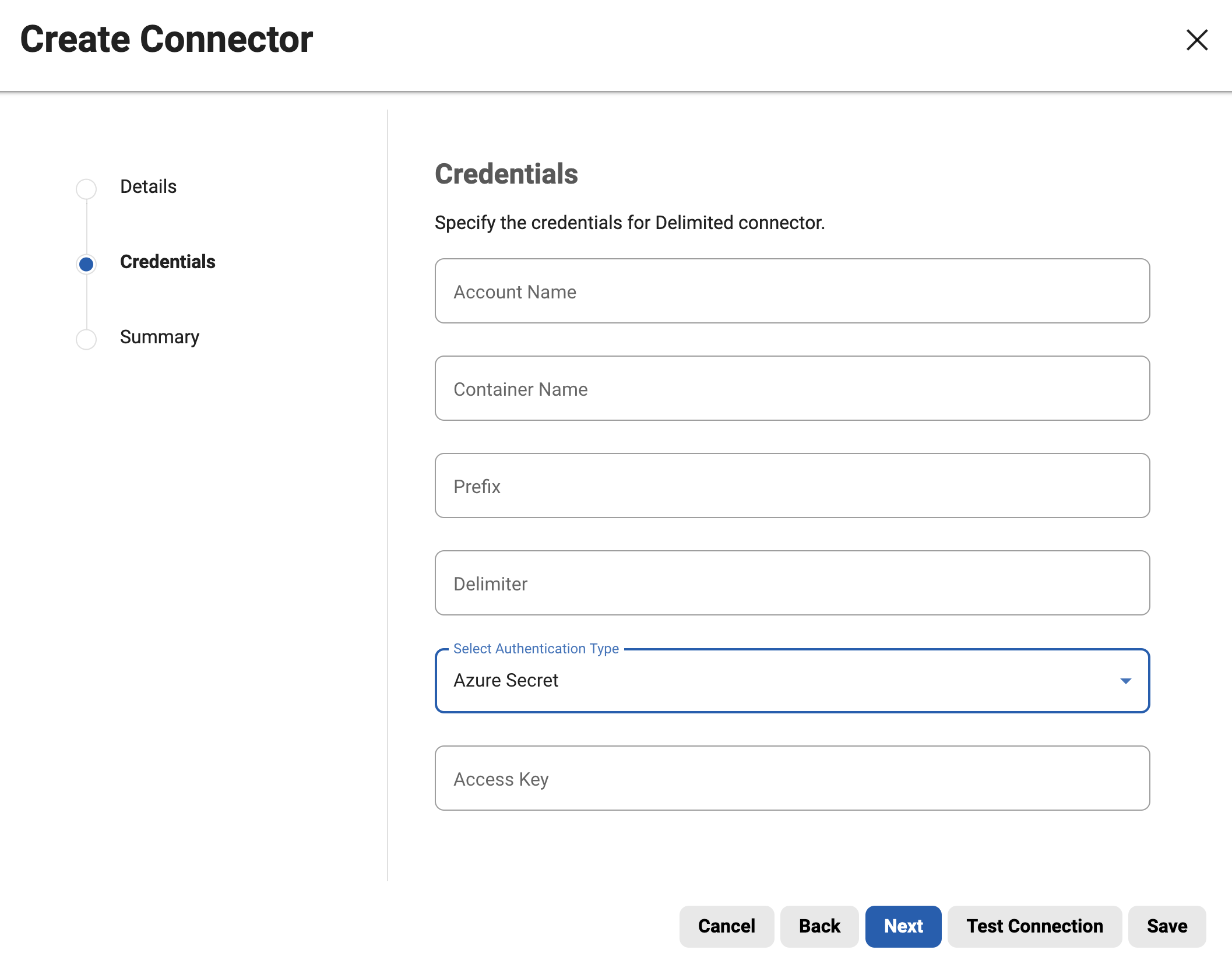
accountName: Specifies the account name for the Azure blob storage account.
-
containerName: Specifies the name of the container within the Azure storage account.
-
authType: The Continuous Compliance Engine offers support for connecting to Azure Blob Storage through two authentication methods: Azure access key-based authentication (AZURE_SECRET) and Azure Identity-based authentication (AZURE_MANAGED_IDENTITY).
-
Access key based authentication requires:
-
accessKey: Azure Account shared access key to authenticate.
For more information related to prefix and delimiter, please refer to the Azure List Blobs Rest API.
Sample payloads
-
Azure Secret
To connect to Azure using AZURE_SECRET authentication, Continuous Compliance requires a shared access key for authentication.
{
    "connectorName": "AZURE_DELIMITED_SECRET",
    "environmentId": 1,
    "fileType": "DELIMITED",
    "connectionInfo": {
        "connectionMode": "AZURE_BLOB_STORAGE",
        "azureBlobStorageDetails": {
            "accessKey": "<Your shared account access key>",
            "accountName": "maskingtest",
            "authType": "AZURE_SECRET",
            "containerName": "test-container",
            "delimiter": "/",
            "prefix": "delimited/"
        }
    }
}
-
Azure Managed Identity
To establish secure communication between a masking engine hosted on Azure cloud and Azure Blob Storage, we utilize Azure identity-based authentication. This method removes the need for static access keys, enhancing security by dynamically generating temporary credential tokens. For more details about azure identity-bases authentication, Please refer to the Azure Identity
{
    "connectorName": "AZURE_DELIMITED_IDENTITY",
    "environmentId": 1,
    "fileType": "DELIMITED",
    "connectionInfo": {
        "connectionMode": "AZURE_BLOB_STORAGE",
        "azureBlobStorageDetails": {
            "accountName": "maskingtest",
            "authType": "AZURE_MANAGED_IDENTITY",
            "containerName": "test-container",
            "delimiter": "/",
            "prefix": "delimited/"
        }
    }
}
We use the following APIs to connect to Azure Blobs. Please ensure that the access key or identity used for authentication has the necessary permissions for these APIs.
-
Container APIs
-
List Containers
-
Get Container Properties
-
List Blobs
-
-
Blob APIs
-
Delete Blob
-
Get Blob Properties
-
Get Blob
-
Copy Blob
-
Abort Copy blob
-
Put Blob
-
-
Block Blob APIs
-
Get Block List
-
Put Block
-
Put Block List
-
Limitations
-
Azure Managed Identity-based connectivity is limited to Continuous Compliance instances hosted within the Azure cloud. Any attempts to connect from outside the Azure environment using this method will result in connection failures.
-
User-assigned managed identity is not supported. We only support System-assigned managed identity.